Showing posts with label Layouts. Show all posts

Monday, October 1, 2012

Check out my New Exclusive on Facebook

I have another new Exclusive on my Facebook Fan page today. It is a Quick Page. It matches my latest kit and is ready for your photo.

Click on my Facebook link on the side of this blog and be sure to "Like" me to enable the download.

Enjoy!


Friday, September 28, 2012

Creative Inspirations with Second Spring

I have some layout inspirations for you today using the new kit Second Spring. Feel free to scraplift these ideas for your own page!

Krista created this gorgeous layout with photos of her boys rolling around in the leaves!


This layout is one I did using photos from a few years ago taken when our family visited Missouri. I used a collage of photos and then covered the area between the photos with a straight ribbon to dress it up a bit.


Friday, September 14, 2012

Great ideas!

I've got some wonderful pages for you to scraplift today. Take a look at what my CT members designed with my Cruisin' kit.


created by La'Shawn


created by Renata


I created these last two layouts. I have tons of recent cruise photos that I wanted to scrap so I used this kit and have more pages in the works!


This layout was created using the template from the September Template Challenge that I mentioned in an earlier blog post.

Tuesday, September 11, 2012

Are you a Font-aholic???

I love finding new and unusual fonts. I look for ideas on blogs, I browse through font sites and I check the credits for layouts that have fun fonts.

Each month at Scrapable we host a Font Challenge and I have found a lot of good ones there. I've even hosted the challenge a time or two.

This month, here's what we have for you: Janda Curlygirl found at Dafont.com. Wanda is the host for this font challenge and I encourage you to give it a try.

Here's the page she created using the Janda Curlygirl font on the title:


Saturday, September 8, 2012

Creative Inspirations with It's A Beautiful Day

I have  some new pages to show you that were created by my designer friends and CT's at Scrapable using my latest kit It's A Beautiful Day!


This one was created by Monica of ViolaMoni. Monica is a designer at Scrapable who calls Italy her home. Besides the page layout, she created the cluster seen on this page and allowed me to include it in the goodies my newsletter subscribers received this week!


Bev, the owner of Scrapable created this page with my kit saying that she loved the colors and she used it in the September Scraplift Challenge at Scrapable. She shared it with me and I just had to show you!


This layout was created by one of my CT's at Scrapable. Karla did a great job with the clustering to highlight this adorable photo!


Saskia used these wonderful photos with the kit and created this beautiful page. It's the kind of layout I imagined when I created this kit!


This is the page I made with the kit. I have so many photos I want to create pages with and these photos worked well with the colors in the kit.

I hope these pages have given you inspiration for your own layouts that you want to create!


Friday, August 31, 2012

Layouts with Sweet Girl...

I promised you some layouts using Sweet Girl and here they are.

This first one was created by one of my CT members. Krista has 3 boys and has enjoyed making pages with my boy kits this summer but she grabbed this girl kit and made this amazing layout! I love the way she used the swirl with the word "princess".


This next one is by me with my daughter as the subject of this layout. I love adding multi-year photos to one layout to see her through her different ages.


Hope these layouts inspire you to do some scrapbooking this weekend. Feel free to scraplift the ideas shown here.

By the way, this layout of mine uses one of the templates I created for the September Mega Kit collab that I showed you earlier on this blog. Hope you've had a chance to check that out!

Saturday, August 18, 2012

New Exclusive on my Facebook Page

Is it back-to-school in your neck of the woods? The kids here in Arizona are back in school this week if not earlier with most districts starting well before Labor Day. Since it's that time of year, my Exclusive on my Facebook Fan page is this Quick Page for the school-age set. Hope you enjoy it!


Just click here to go to the download page.

Friday, August 17, 2012

Creative Inspiration from Travel Destination: Denmark

Here are some great pages that my CT Renata created after just getting back from her trip to Denmark.

First she used the Scrapbook/Travel Journal element to create this page. She added her own photos to the PSD template and added journaling and titles.


Next she created a page from her trip to Legoland in Billund, Denmark using the paper and elements from the Bonus Lego kit.


Her third page was made from photos taken when they visited a Viking village in Denmark.


After researching for this kit and seeing her photos, I want to add Denmark to my destination wish list!


Saturday, August 11, 2012

Creative Inspirations with King of my Heart

I have a couple of layouts for you this morning from my latest kit, King of my Heart. Hope this gives you some ideas on how to scrap some of your photos!

Karla, one of my Creative Team members at Scrapable, created this adorable layout. I love the clustering she did!


This layout was done by me using the August Template from the Template Challenge going on at Scrapable this month. I modified it some but you ought to click on the link above and download it and play along with us.


Remember you can find this kit and more at my shop at Scrapable!

Tuesday, August 7, 2012

New Challenge for August

I am hosting a Pinterest Challenge this month at Scrapable and I just wanted to share with you what it is all about. I saw a similar idea (probably on Pinterest!) and just had to do one for myself. The idea is to take a screen shot of your Pinterest boards and then make a layout with that as the main photo. As you can see from mine, I kept it large enough that the boards were my ONLY photo on the page. Later I can look back and see what I was interested in at this particular time and see how my interests might have changed.

Come play along with me at Scrapable and show me your "take" on this Challenge!


UPDATE: I put the instructions on how to take a screen shot in the challenge post at Scrapable but I will include them on this page, too.


On a Mac: Open the page in your browser that you want to copy and hold down Command, Shift and the number 3. You should see a jpeg copy of your entire desktop show up on your desktop! Open your photoshop program then open the saved jpeg from your desktop.

On a PC: Open the page in your browser that you want to copy. Press the Print Scrn/SysRq button at the end of the row of function keys on your keypad. That puts the page on your clipboard. Open your photoshop program and the page you are creating and press Ctrl + V to paste it on your page. If you have Vista or Windows 7, you can use the built-in Snipping Tool to capture the screen you want to copy.

Monday, July 30, 2012

Creative Inspirations with Sunny Days

I have a few layouts for you to see using my new kit called Sunny Days. I love the fun, bright papers and embellishments from this kit.


My CT Krista created this layout using some recent summer photos she took of her children playing in the back yard.


Here's a layout I created from photos taken on a trip to Santorini.


I could fill my album with bright colorful pages like these. They make me feel happy!

Friday, July 13, 2012

Creative Inspirations for "My Guy" kit...

With three guys in the family, I find myself with a lot of masculine photos that I need to scrap. Just recently, those three guys went Bungee Jumping while we were on vacation. Viola! This kit was perfect for those photos.  Take a look...


I made these pages to go side-by-side for a two page spread in my scrapbook. I love the look I get when I do that. You can get the same look just by creating your first page and then flipping it to do the second page. Add different photos and you have a two-page layout! Another idea that I did on this page was to create a layered title by wrapping the string in and around my letters. That technique was in one of the workshops that we had at Scrapable these past ten days. If you missed our Digi Summer Getaway this time, be sure to watch our forum for upcoming events!


My CT, Krista, used this kit with photos of her two little guys showing that it works well with the younger set, too!


I love the woodgrain papers in this kit and Krista showed one of them off to perfection!

Hope you will stop by my shop at Scrapable and take a look at this kit and the rest of my products in the store.  Thanks for looking!

Tuesday, July 10, 2012

Workshop Results

We are seeing some truly beautiful pages in the gallery at Scrapable from the campers at our Digi Summer Getaway. Each day a new workshop is open to give campers a tutorial on a specific topic. Then participants are invited to create a layout using the new skills they have learned. Some of the topics included shadowing, extracting, using a template, blending and more. Come browse the gallery to see the fantastic layouts. 


Saturday, June 23, 2012

Creative Ideas with my new Travel Destination kit

My CT and a fellow designer did an awesome job with my Travel Destination: Italy kit and I just had to show you the amazing layouts and photos.

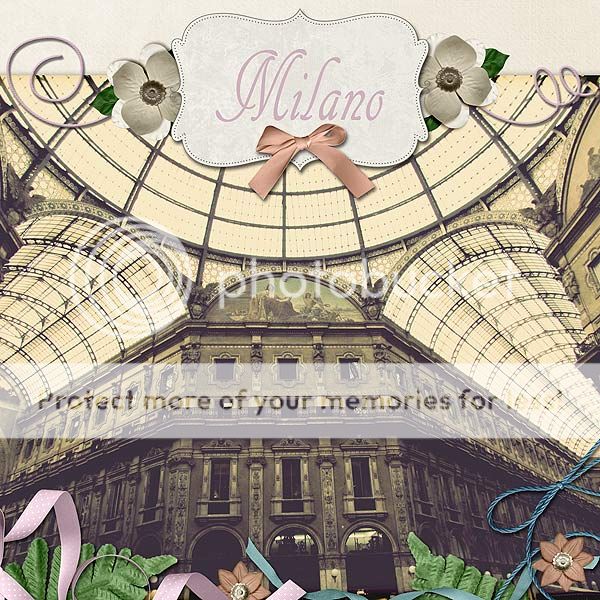
Monica (aka ViolaMoni Designs)  is from Milan and had two wonderful layouts to share...


Renata, one of the wonderful CTs at Scrapable, created this clean and simple layout of photos from the cities of Florence, Pisa and Lucca. I love this layout...


I couldn't let them have all the fun so I did two layouts myself...


Hope you've enjoyed viewing these layout and I hope they have inspired you to create your own pages today!

Friday, June 8, 2012

Creative Inspiration for Not Too Shabby

I have a few layouts made with my new kit, Not Too Shabby, that I wanted to show you today. A couple of the layouts feature the clusters, borders and alphabets from the bundle.

This first layout was created by one of the members of the Creative Team at Scrapable. I love the soft blues of this page with the adorable photos of her little boy! She created her layout using a template from Amber Morrision Designs at Scrapable.


These next two layouts were created by me. This layout gives you a good view of several of the papers in the kit. Also, the frame used on this page is from the bundle.


This layout shows two of the borders, one of the alphabets and more papers.


I hope these layouts have given you some ideas on how you want to create your next layout. Be sure to check out the bundled kit in my store at Scrapable.

Monday, May 28, 2012

One more layout...

I just had to show you one more layout done with my School's Out kit. The lead CT at Scrapable created this gorgeous page and I wanted you to see it.


Thanks, Wanda, for such a great page!

Friday, May 25, 2012

Creative Inspirations for School's Out...

I have a couple of layouts for you today created with my latest kit, School's Out. The first layout was made using one of the templates I released in my shop at Scrapable last week.


Thursday, May 17, 2012

New Templates in my Store and a Sale!

I have 4 new templates in my store this week for you. If you have never used a template before for your layouts, try these. A template can make your scrapbooking time so much more productive because you don't have to think about how to arrange the elements and photos on your page. Just clip papers and photos into place and add your own embellishments or recolor the ones used in the template.


Here's some examples of layouts created with these templates:


This layout was made with the first template by turning it 90 degrees. By rotating the templates, you can get lots of new looks from just one template!


This is the third template and I love this one for landscape photos. The large opening gives you plenty of room to show off the scenery. Then I added places underneath for more detailed photos. You can always just fill those spots with pattern paper, too!


This template is a great template to turn and get a different look. I used it in it's original position but if your main photo was a vertical one, you could easily accomodate that type photo by turning the template and still have a great layout!


Stop by my store and pick these up for your weekend scrapbooking projects! These templates are 25% off until May 20th so don't delay!

Wednesday, May 2, 2012

Scrap This Way...Blog Speed Scrap At Scrapable

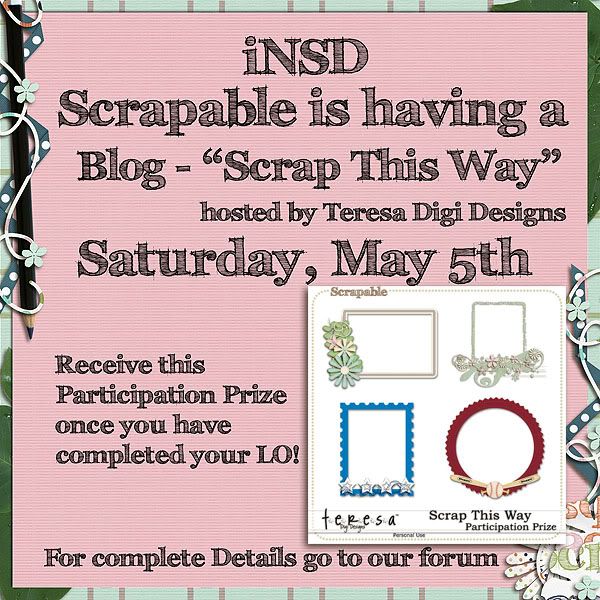
I am hosting my first speed scrap on the Scrapable Blog on Saturday, May 5th as part of the activities we have planned for iNSD. I will be leaving step-by-step instructions to create a layout and then you will have lots of time to complete your layout and upload it to the appropriate spot. Once you have completed your layout and uploaded it to our gallery and forum, I will be sending you a special participation prize. It all starts Saturday, May 5th  at 9 am (US Pacific Time) so set your alarms today!


Saturday, April 21, 2012

Creative Inspirations with Down on the Farm...

Here's the layouts I promised to share with you earlier this week. They all use my latest kit, Down On The Farm.

This first one was created by my fantastic CT, Krista, who always seems to have photos that work well with my kits!


These next two were designed by me.